
Watcher

Protect Your Mac

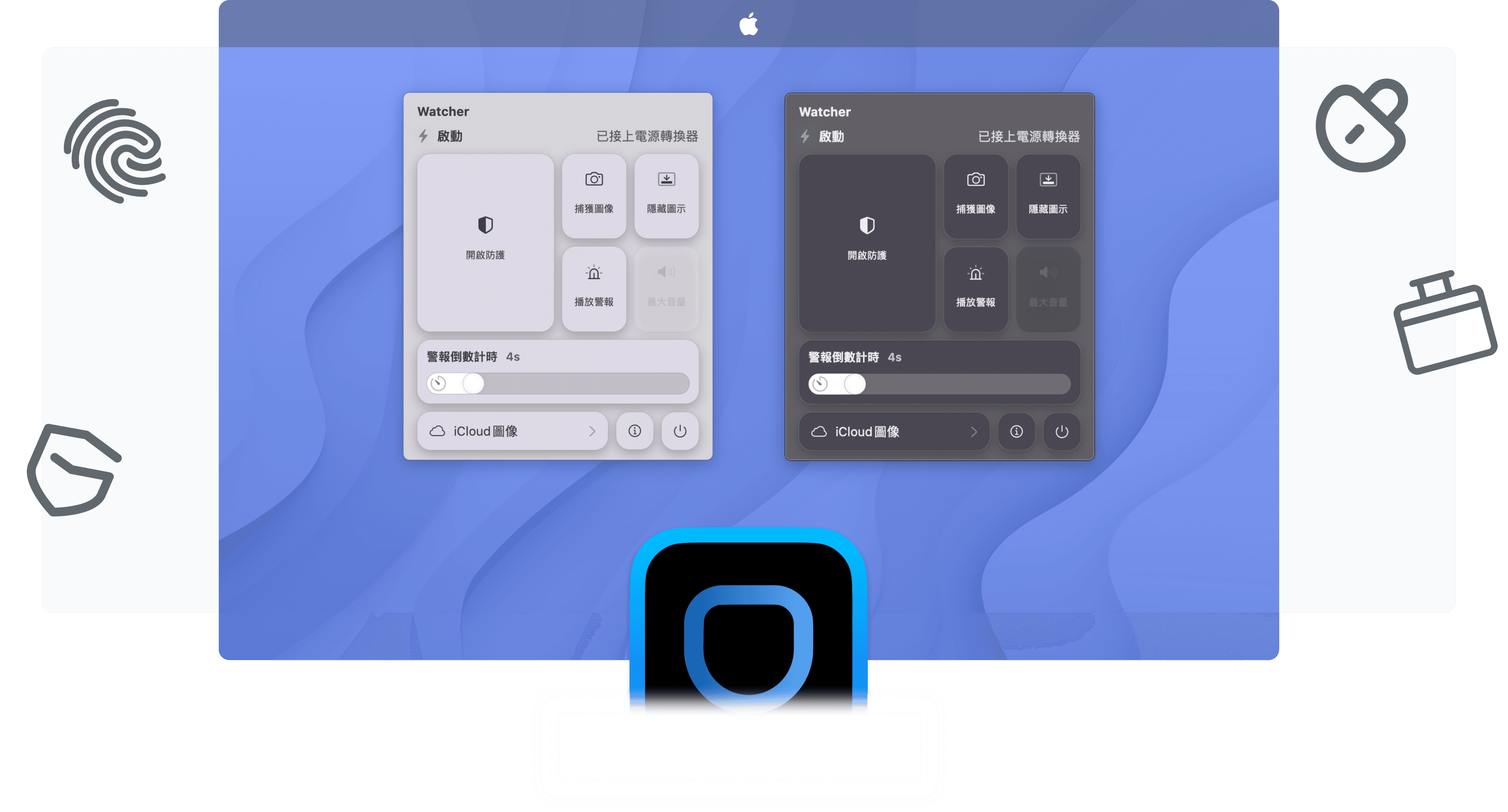
Watcher is an app that protects your Mac when it is unattended. It actively monitors and detects possible tampering attempts, alerts the user, and captures images of the culprit. During this process, it uploads and syncs images to iCloud, plays alarms, and more.

Requires macOS 11 Big Sur or later.

Protect Your Mac

Watcher is an app that protects your Mac when it is unattended. It actively monitors and detects possible tampering attempts, alerts the user, and captures images of the culprit. During this process, it uploads and syncs images to iCloud, plays alarms, and more.

Requires macOS 11 Big Sur or later.

Protect Your Mac

Watcher is an app that protects your Mac when it is unattended. It actively monitors and detects possible tampering attempts, alerts the user, and captures images of the culprit. During this process, it uploads and syncs images to iCloud, plays alarms, and more.

Requires macOS 11 Big Sur or later.

External threats are even more dangerous

Watcher can keep your Mac under constant surveillance. It detects and records anyone who tries to tamper with your Mac, and it can also lock the screen when you step away while keeping everything running.

Stay alert at all times

When you enable Protection Mode, Watcher will monitor everything that happens in front of the screen through the Mac camera and record it as images.

Power Disconnection Alarm

When your Mac has been disconnected from the power adapter for longer than the time you set, Watcher will play a piercing alarm that can only be stopped with biometric authentication.

Monitoring image synchronization

The surveillance images recorded by Watcher will be uploaded to your iCloud immediately.

External threats are even more dangerous

Watcher can keep your Mac under constant surveillance. It detects and records anyone who tries to tamper with your Mac, and it can also lock the screen when you step away while keeping everything running.

Stay alert at all times

When you enable Protection Mode, Watcher will monitor everything that happens in front of the screen through the Mac camera and record it as images.

Power Disconnection Alarm

When your Mac has been disconnected from the power adapter for longer than the time you set, Watcher will play a piercing alarm that can only be stopped with biometric authentication.

Monitoring image synchronization

The surveillance images recorded by Watcher will be uploaded to your iCloud immediately.

External threats are even more dangerous

Watcher can keep your Mac under constant surveillance. It detects and records anyone who tries to tamper with your Mac, and it can also lock the screen when you step away while keeping everything running.

Stay alert at all times

When you enable Protection Mode, Watcher will monitor everything that happens in front of the screen through the Mac camera and record it as images.

Power Disconnection Alarm

When your Mac has been disconnected from the power adapter for longer than the time you set, Watcher will play a piercing alarm that can only be stopped with biometric authentication.

Monitoring image synchronization

The surveillance images recorded by Watcher will be uploaded to your iCloud immediately.

Frequently Asked Questions

What are the uses of Watcher?

Watcher can continuously monitor everything happening in front of your screen through your Mac camera and sound an alarm when necessary. For example, if you suspect someone might tamper with your Mac while you are away, you can turn on Watcher to keep watch. For example, you can enable Watcher when you step away briefly; if someone tries to take your Mac, Watcher will sound an alarm. It may also help prevent your Mac from being lost, because Watcher records everything through the camera, displays warnings on the screen, and syncs the recorded images to iCloud.

Can Watcher be trusted?

Do I need to connect to the internet to use Watcher?

Frequently Asked Questions

What are the uses of Watcher?

Watcher can continuously monitor everything happening in front of your screen through your Mac camera and sound an alarm when necessary. For example, if you suspect someone might tamper with your Mac while you are away, you can turn on Watcher to keep watch. For example, you can enable Watcher when you step away briefly; if someone tries to take your Mac, Watcher will sound an alarm. It may also help prevent your Mac from being lost, because Watcher records everything through the camera, displays warnings on the screen, and syncs the recorded images to iCloud.

Can Watcher be trusted?

Do I need to connect to the internet to use Watcher?

Frequently Asked Questions

What are the uses of Watcher?

Watcher can continuously monitor everything happening in front of your screen through your Mac camera and sound an alarm when necessary. For example, if you suspect someone might tamper with your Mac while you are away, you can turn on Watcher to keep watch. For example, you can enable Watcher when you step away briefly; if someone tries to take your Mac, Watcher will sound an alarm. It may also help prevent your Mac from being lost, because Watcher records everything through the camera, displays warnings on the screen, and syncs the recorded images to iCloud.

Can Watcher be trusted?

Do I need to connect to the internet to use Watcher?

Create a free website with Framer, the website builder loved by startups, designers and agencies.